
- Home
- Entire Malaysia
- Penang▼
- Hobby & Collectibles
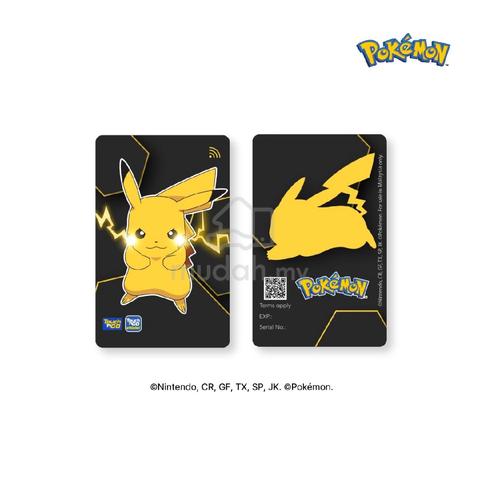
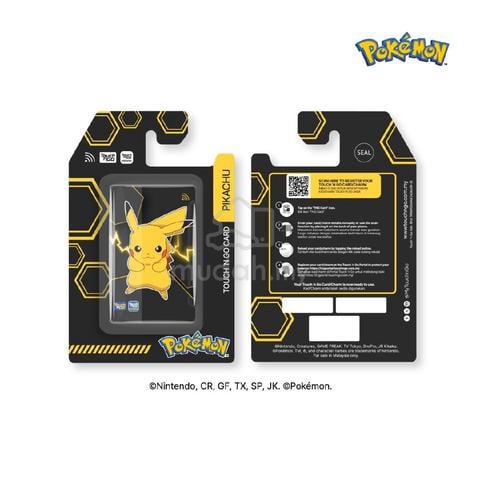
- Pikachu Pokemon Special Edition LED Card TouchnGo
Pikachu Pokemon Special Edition LED Card TouchnGo
List-ID: 11500899521 Jun 22:29
Description
Specification
- With Touch 'n Go Pokémon Special Edition LED Card, you get to enjoy:
Convenient reload anytime, anywhere via Touch 'n Go eWallet, as the Card are fully equipped with NFC capability
Contactless and cashless payment of Toll, Public Transit, and Parking with your Card
Worry less when you can check your Card balance anytime via Touch 'n Go eWallet.
** This product can be used for Travel Pass (i.e. My50) purchases via TNG eWallet
------------
How to link your Touch 'n Go Pokémon Special Edition LED Card?
Step 1: Launch your Touch ‘n Go eWallet app and tap on “TNG Card”.
Step 2: Click on “+” symbol.
Step 3: Tap on the NFC symbol and scan your charm at the back of your phone for at least 5 seconds.
Step 4: There you go!
----------
How to link your Touch 'n Go Pokémon Special Edition LED Card?
Step 1: Launch your Touch ‘n Go eWallet app and tap on “TNG Card”.
Step 2: Click on “Reload” button.
Step 3: Scan your charm at the back of your phone for at least 5 seconds.
Step 4: Enter reload amount and scan the charm again.
Step 5: There you go!

Mudah Safety Tip
For safety precautions, request seller to record product video as proof that the item belongs to them. Find out more safety tips in MudahSafety!
Do you find this ad suspicious or inappropriate?
Report this ad (List-ID: 115008995)Is this your ad? Manage it using these links.
You May Also Like







Price
RM 95
Location
Penang - Georgetown
Condition
New
Shortlist, compare, decide — faster on the app.
Scan QR to Download App


4.7
200K+ reviews
Private
Share this ad